1
IA710-04-05B
Requirements
Labview 2014 runtime - located on Z+ series CD-ROM
VISA runtime – located on Z+ series CD-ROM
NI7SEG Font – located in application root directory
Microsoft Excel 2007 or higher
Processor equivalent to Intel i3 or better
Note: Install NI7SEG Font
MAIN FEATURES
1.
Common Features
1.1. Manual and defined (from configuration file .ini) communication parameter setting at
the application start
1.2. Communication recovery after operation fault when unit is ready (example: AC power
disappears or unit communication parameter is not correct).
1.3. SCPI or GEN Languages operation support
2.
Virtual Front Panel (VFP)
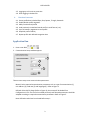
2.1. Allows general control function (output ON/OFF, Voltage Setting, Current Setting)
2.2. Output status and encoder setting indication
2.3. Simple switch for individual & global commands
2.4. Virtual Panel controls lock
2.5. Setting save and recall function
2.6. Preview mode value setting
2.7. Keyboard Keys Virtual Panel control
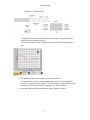
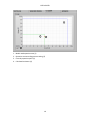
2.8. Different color shows selected parameters (setting or measured) of voltage or current
on the graph
2.9. Internal or wire impedance setting
3.
Status Logger
3.1. Logging output voltage and current with defined period
3.2. Store Log date of each unit in separate file
3.3. Logging occurred faults (SCPI)
3.4. Logging Virtual Front Panel events which change output status when the function
enabled
2