1
I.
Indications & Controls
Indications
1.
4 x 7 Segment
Display
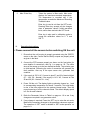
: 4 seven segment displays are divided into two
groups of 1 digit for “Ch. No.” and 3 digits for
“Temperature” Display. Ch. No is used to indicate
the channel no. The Temperature displays are
used to display temperature of that particular
channel in normal mode.
In “SET” mode Ch. No. shows parameter no. and
Temperature shows the value of that respective
parameter.
2.
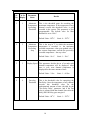
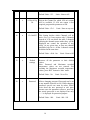
Hold LED
: ON when the system is in Hold mode. In Scan
mode this LED is turned OFF.
3.
Set LED
: Turns ON when the system is in SET mode.
4.
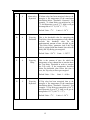
Max LED
: Turns ON when the system is in MAX mode.
Blinks when the system is in Current Max mode.
5.
Fan LED
: Turns ON when Fan Relay is energized.
6.
Alarm LED
: Turns ON when Alarm Relay is energized.
7.
Trip LED
: Turns ON when Trip Relay is energized.
8.
Fault LED
: Turns ON when Fault Relay is energized.
Controls
1.
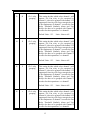
Scan / Hold Key
: Toggles the system between Scan and Hold
mode.
In Scan mode, the system displays the
temperature of all the channels one after another
in a sequence repeatedly. Each channel is
displayed for the duration as programmed in the
“Display Speed” parameter in SET mode. The
default duration is 2 Seconds.
In Hold mode, only one channel (channel currently
being displayed) is locked on the display i.e.
scanning of all channels is stopped. To change the
channel in Hold mode Increment key is used.
6