1
Introduction
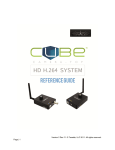
Thank you for purchasing Cube – the world’s first camera-top streaming HD video solution. The Cube
Encoder streams HD video over any IP network. Wireless-equipped Cubes can connect directly to
laptops, Cube Decoders, or mobile devices, or join an existing wireless network to stream over a LAN or
WAN. USB-equipped Cubes are also capable of streaming using select 4G capable modems. Cube
features native integration with Livestream.com for turn-key live Internet streaming and content
distribution. Use this reference to help get the most out of your Cube.
1. Three key steps to get started with your Cube:
1. Connect and power your device (page 5)
2. Connect Cube to your network (page 8)
3. Pick your streaming application (page 10)
Support Resources
In addition to this Reference Guide, there are a number of resources available for more
information on Cube’s features and operation. Included in the box is a USB drive that
includes the full user manual, training videos, and our TeraCentral app. For online
information, see the following:
o
Support forum: http://forum.teradek.com - Contains tips, information, and all the latest available
firmware and software updates.
o
Training videos: http://cube.teradek.com/training.html
If you are unable to find what you are looking for online, please contact Teradek’s support staff:
E-mail: support@teradek.com | Phone: (888) 941-2111 ext. 2 (available M-F 9AM-6PM PST)
Disclaimer
This manual is intended for user information only. Every effort has been made to ensure that the contents within are
accurate at the time of printing, and that updates are made in a timely manner. Teradek cannot be held responsible
for inaccuracies, typographical errors, or out-of-date information contained within this manual.
Warning
Teradek Cube products contain no user serviceable parts. Disassembly, modification, or removal of any of the
device’s components may void your warranty. For up-to-date warranty terms, please visit
http://cube.teradek.com/warranty.html .