1
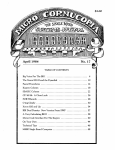
TABLE OF CONTENTS
HOW TO CONFIGURE YOUR SYSTEM SUPPORT 1 IN UNDER 5 MINUTES,
WITHOUT READING THE MANUAL
• • ••
Other options and jumpers • • • • •
Important note about system memory
5
6
6
ABOUT SYSTEM SUPPORT
Technical overview •
7
7
CONFIGURING THE SYSTEM SUPPORT 1
Setting I/O address
Setting memory address • •
Other memory options •
• • • • • • • •
Disabling the memory • •
Global/extended address selection
Phantom* response options • • • •
Battery back-up for CMOS RAM • •
Wait states
•••••••••••
9
9
10
11
11
11
12
12
12
Using higher speed 9511A or 9512 •
Interrupt jumpers and options
Using a 9511 or 9512 with interrupts
Interval timer options • • • • • • •
Configuring the serial channel • • • •
Other miscellaneous hardware options
Connecting the battery • • • •
Mounting the battery holder
Replacing the battery
• • • • •
I/O port map • • • • • • • •
15
15
16
17
18
18
18
19
PROGRAMMING CONSIDERATIONS FOR THE SYSTEM SUPPORT 1
Power-up initialization
• • • •
Programming the serial channel
UART initialization • • • • • • • • • •
Sample UART program • • • • •
Programming the real time clock
• • • •
Clock programming sequence • • • •
Sample clock program • • • • • •
• • • •
Programming the interrupt controllers
Important note about using DDT to debug interrupts
"INTEL 8259A Programmable Interrupt Controller".
Initializing the 8259A • • • • • • • • • • •
Routine for initializing master/slave 8259As
Disabling the 8259As • • • • • • • • • • • •
Programming the interval timer. • • • • •
• ••••
"INTEL 8253/8253-5 Programmable Interval Timer".
Programming the 9511 or 9512 math processor
••••
"INTEL 8231 Arithmetic Processing Unit"
"INTEL 8232 Floating Point Processing Unit"
20
20
20
25
25
26
28
29
35
35
36
56
56
57
58
59
66
69
75
13
13
3