1
User Manual
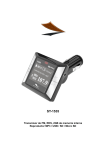
Thank you for purchasing the Sytech SY-1535 FM transmitter. We are sure
this product will satisfy your needs. Store this user manual in a safe place for
future reference. Welcome to Sytech!
•
•
•
•
•
•
•
•
•
Supports: SD card, Micro SD, USB port as well as a audio jack to connect
an external MP3 or MP4 player.
Built in 2 GB. Internal flash memory.
RDS function (Radio Data System).
Supports: MP3 and WMA format.
206 Selectable frequencies: range from (87.5 to 108.0 MHz).
Last memory of the frequency and song.
Rotating shaft which makes it convenient for installation.
Attractive visual outlook and appearance.
Restores the last frequency, track number and volume when restarting.
Loading songs into the SY-1535
The SY-1535 allows you to record Mp3 or WMA files into the built in 2 GB.
Flash memory. Follow the below instructions to upload music into the internal
memory.
1. Connect the supplied USB cable from the SY-1535 to the USB port of your
PC.
2. Copy the desired songs to the main folder of the SY-1535. Make sure the
capacity does not exceed the internal flash memory size.
3. Click on the “Remove safely USB” Icon to disconnect the SY1535 from the
PC.
4. The SY-1535 can now playback directly your favorite tracks stored in its
internal flash memory.
Operation:
1. Insert the SY-1535 FM transmitter to a 12V/24V car cigarette socket power.
2. Press the CH button on the unit to enter the Channel frequency mode.
or
to select a desired frequency. Make sure the selected
Press the