1
Atom Smasher - The Multimedia Accelerator Game
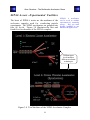
Most the options available in the Help Menu provide a
set of “slides” that the player-scientist can use to learn
about the various parts of the Atom Smasher game.
These are accessed by clicking on the buttons labeled:
“What is XIPAL?”, “Game Goals,” and “The XIPAL
Accelerators.” The slides are paged-through using the
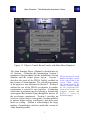
“Next” and “Back” buttons. Figure 3.3 illustrates a few
examples of these slides.
Most buttons on the Help
Menu lead to slide shows
that are navigated with
Next and Back buttons.
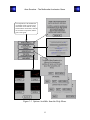
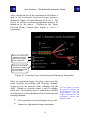
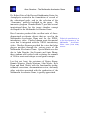
Interactive Tutorials, which describe how various
components of the XIPAL accelerator operate, are
accessed using the “How the Accelerator Works” button
of the Help Menu. These tutorials have a number of
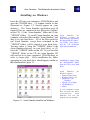
interactive features. Figure 3.3 illustrates the initial
slide of the “How the Accelerator Works” interactive
slide show. This is a hypertext type of slide, where the
player can select different tutorials by clicking on the
red text for the accelerator components included.
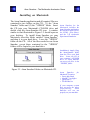
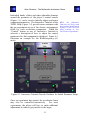
Figure 3.4 illustrates slides from one of the Interactive
Tutorials.
All of the major components used by the XIPAL
accelerators have Interactive Tutorials. Each Interactive
Tutorial has several parts and typically consists of five
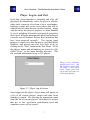
(5) slides. Examples of these slides for the Quadrupole
tutorial are illustrated in Figure 3.4. The first (1) slide
summarizes the purpose of the component and how it
impacts the motion of particles in an accelerator. Two
buttons, “CONTROL” and “ANIMATION,” lead to
slides at the next level, which provide (2) information
on how to set controls for the component when that
component is used in an Experiment (see Section 4), and
(3) animations of a particle moving in the component.
The control parameters for the component, and the
particle’s initial displacement, can be changed by the
player to better understand the motion. “END VIEW”
and “Periodic Channel” buttons access new slides that
(4) illustrate the particle motion as it will appear to the
player while conducting an Experiment, as well as (5)
the motion in a component array typical of those
encountered in the XIPAL accelerators.
13
Tutorial interactive slide
shows are used to illustrate
how particles move in the
various components used
in the XIPAL accelerators.
Player’s adjust component
parameters and particle
initial conditions to study
the motion.