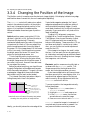
1
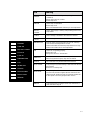
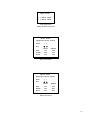
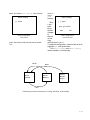
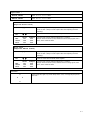
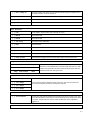
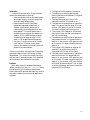
Input Level *
Black Level
Opens
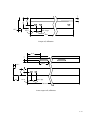
Black Level menu
White Level
Opens
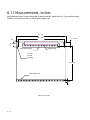
White Level menu
Black Level
(Requires Black field)
Auto
[ ]
Automatically adjusts the display’s Black Level to the incoming video from
the PC or MAC. (Always use this option rather than adjusting this level
manually.)
All
!
Raises or lowers all three (RGB) levels together
Red
Green
Blue
Level
127
126
131
#
Sample
001
000
000
Level show the current (internal) setting of R, G, and B. §
Sample shows the levers (in bits) detected in the incoming signal; 000 is
black, 255 is maximum white.
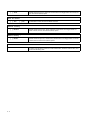
White Level
(Requires White field)
Auto
[ ]
Automatically adjusts the display’s Black Level to the incoming video from
the PC or MAC. (Always use this option rather than adjusting this level
manually.)
All
!
Raises or lowers all three (RGB) levels together
Red
Green
Blue
Level
127
126
131
#
Sample
254
255
255
Level show the current (internal) setting of R, G, and B. §
Sample shows the levels (in bits) detected in the incoming signal; 000 is
black, 255 is maximum white.
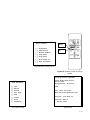
Position
$
%
&
Moves image left / right / up / down. Wraps at the “end,” so image will jump to the
other side.
'
6-3