1
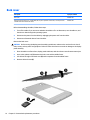
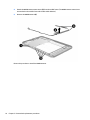
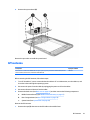
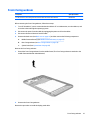
Reverse this procedure to install the back cover.
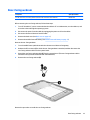
Middle frame and battery
NOTE:
The middle frame spare part kit includes the 4800-mAh, LI battery.
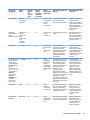
Description
Spare part number
For use only on tablet models equipped with 3G capability
805088-001
For use only on tablet models not equipped with 3G capability
805089-001
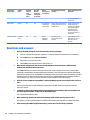
Before removing the middle frame and battery, follow these steps:
1.
Turn off the tablet. If you are unsure whether the tablet is off or in Hibernation, turn the tablet on, and
then shut it down through the operating system.
2.
Disconnect the power from the tablet by unplugging the power cord from the tablet.
3.
Disconnect all external devices from the tablet.
4.
Remove the back cover (see Back cover on page 14).
WARNING! To reduce potential safety issues, use only the battery provided with the tablet, a replacement
battery provided by HP, or a compatible battery purchased from HP.
CAUTION: Removing a battery that is the sole power source for the tablet can cause loss of information.
To prevent loss of information, save your work or shut down the tablet through Windows before removing
the battery.
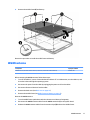
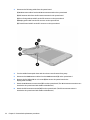
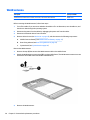
Remove the middle frame and battery:
1.
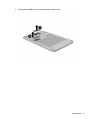
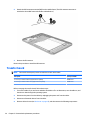
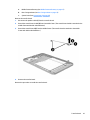
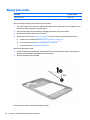
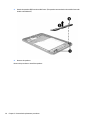
Remove the shield (1) and tape (2) the cover the battery cable.
Middle frame and battery
15