1
INTRODUCTION
Thank you for purchasing the PayData EvoClock. The service and clock
terminal will save you time and money as you operate your business.
Note: Read the installation instructions before you begin using the
unit or attempt to connect the system to its power source and phone
line.
The clock terminal is very simple to setup and should have already been
activated by PayData. This guide will show you how to start using the system
immediately. Once the clock is installed and activated, there is rarely a need for
additional maintenance.
Your system should include the following:
?
?
?
?
?
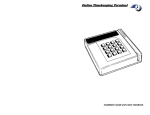
The Card Reader Terminal
An AC Power Adapter
A Telephone Cord
Mounting Instructions and Hardware
This Manual
Time Saver: Once your clock is connected to the power supply and
phone line, press the 9 key on the keypad. This will force your clock
to connect to the server and receive its initial setup information
SAFETY RECOMMENDATIONS
Follow these guidelines to ensure general safety:
?
?
Keep the clock area clear and dust-free during and after
installation.
Keep the unit away from moisture and do not perform any action
that creates a hazard to people or makes equipment unsafe.
Warning To avoid electric shock, ensure that an adequate surge
suppressor is used as part of the units’ installation to the power source
and that telephone cables are disconnected when removing power from
the unit. The telecommunications lines must be disconnected before
unplugging the main power connector.
3