1
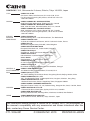
Error Codes
Error No.
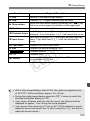
If there is a problem with the camera, an
error message will appear. Follow the onscreen instructions.
Countermeasures
No.
01
02
Error Message & Solution
Communications between the camera and lens is faulty. Clean the
lens contacts.
Î Clean the electrical contacts on the camera and lens and use a
Canon lens (p.13, 16).
Y
P
O
Card cannot be accessed. Reinsert/change card or format card
with camera.
Î Remove and insert the card again, replace the card, or format the
card (p.31, 42).
C
Cannot save images because card is full. Replace card.
04
05
Î Replace the card, erase unnecessary images, or format the card
(p.31, 171, 42).
The built-in flash could not be raised. Turn the camera off and on
again.
Î Operate the power switch (p.27).
06
Sensor cleaning is not possible. Turn the camera off and on
again.
Î Operate the power switch (p.27).
10, 20, Shooting is not possible due to an error. Turn the camera off and
30, 40, on again or re-install the battery.
50, 60, Î Operate the power switch, remove and install the battery pack
70, 80
again, or use a Canon lens (p.27, 26)
* If the error still persists, write down the error No. and contact your nearest
Canon Service Center.
224