1
Project Notes
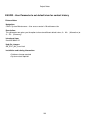
E8/5341 - Ability to create PL and SL accounts from batch input
Release Notes
Navigation:
Sales Ledger/Purchase ledger > Batch Input of Documents - Generate and Print Documents - Self Billing
Documents - Enter registered Documents /Nominal Ledger > Cash Book Menu > Cash Expense Input
Description:
A facility has been created that enables you to create Sales Ledger and Purchase Ledger accounts in the
Batch input of document routines. This is for continuous posting when no customer or supplier account
exists when you attempt to post a batch of documents.
You can now do three things. Firstly you can create Sales Ledger accounts in Batch input of Documents
and Generate and Print documents. Secondly you can create Purchase Ledger accounts in Batch input of
Documents, Self Billing Invoices and Enter Registered Documents in Invoice register. Lastly you can
create Purchase Ledger accounts in Nominal Ledger > Cash Book Menu > Cash expense input.
Introduced from:
Rev8.35.9304E-21
Help file changes:
PL_BATCH_HDR.html, SL_BATCH_HDR.html, SL_PRINT.html, PL_PRINT.html, PL_IRBAT.html
Tip:
The existence of the Account creation button is dependent on whether or not the Master accounts are
active. The button is available if there are no Master accounts, but not available if Master
Debtors/Creditors is active.
Installation and training information:
• User training required
• On-site testing required
• System restart required
13