1
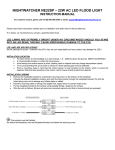
FUNCTION This light is equipped with 3 motion sensors: zone 1 covers 60 degree, zone 2 covers 100 degrees and zone 3 covers 60 degrees. 220 degrees (maximum) in total for 3 zones. ZONE 2 ZONE 1 ZONE 3 TOTAL DETECTION RANGE The light will switch on for 3 minutes and off automatically when heat/ movement is detected. The factory default: the light on is fixed at 3 minutes and is set to Night-time mode. To change the mode to All Day Mode, push the button at the bottom of the housing and the hidden LED indicator will turn off under this mode. The light will be on at 3 minutes when detecting any movement at day and night. Push-button for programmable functions: - All day mode: light works on day and night Push-button - Night-time mode: light works at night only Reset function: If the stepper motor of tracking light works abnormally, the hidden LED indicator will flash in red and the light will stop turning automatically. In All Day mode, the red light will flash for 5 seconds and off for 5 seconds; in Night-time mode, the red light will flash in the regular pattern. Please simply switch off and on the mains power to resume the tracking light. Below are the possible abnormal situations. - External force: the light head is blocked by objects or is blown by strong wind and is unable to turn properly, the hidden LED will flash in red to signal users the abnormal situation. - Stepper Motor : when the stepper motor is reaching the end of its life or is damaged, the bottom hidden LED will flash red to signal a malfunction. Please switch the NW200 off and on at the mains, the tracking light now may or may not resume operation. If the stepper motor stops working and is outside the standard warranty period, the NW200 will continue to function as a regular motion sensor security light. Left 70° Hidden LED indicator Right 70°