1
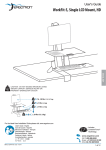
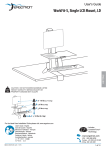
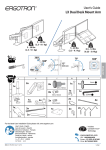
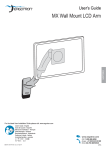
Warning: Because mounting surface materials can vary widely, it is imperative that you make sure mounting surface is strong enough to handle mounted product
and equipment.
Adjust the height of your desk (or chair and footrest) to allow the keyboard to lower to your sitting elbow height for ergonomic computing.
Caution:
To avoid the potential to pinch cables it is important to follow the cable routing instructions in this manual. Failure to follow these
instructions may result in equipment damage or personal injury.
Arm lowers along an arc.
Pull Arm toward you as
you lower from the
highest position.
Arm lowers along an arc. Pull arm towards you as you lower from the highest
position.
827-975
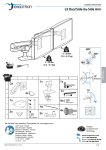
A+B+C < 20 lbs (9.1 kg)
5 - 15 lbs
A
(2.3-6.8 kg)
B
< 5 lbs
ENGLISH
(2.27 kg)
C
< 2 lbs
(0.9 kg)
0.78"-2.56" (20-65mm)
Important! You will need to adjust this product after
installation is complete. Make sure all your equipment
is properly installed on the product before attempting
adjustments. This product should move smoothly and
easily through the full range of motion and stay where you
set it. If movements are too easy or difficult or if product
does not stay in desired positions, follow the adjustment
instructions to create smooth and easy movements.
Depending on your product and the adjustment, it may take
many turns to notice a difference. Any time equipment is
added or removed from this product, resulting in a change
in the weight of the mounted load, you should repeat these
adjustment steps to ensure safe and optimum operation.
0.78"-2.56" (20-65mm)
0.5"-2.5" (13-64mm)
20˚
5"
(127 mm)
10˚
20"
(508 mm)
360˚
85˚
888-45-298-W-02 rev.G • 01/15
2 of 14