1
10User manual and
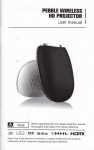
Product OverVieW
1 ON/OFF
¨
¨¨¨ ¨ poweron/o仟 the deVice
2 HE)Mlinterface connect glasses With other equipment
3 UsB interface
used for charging the glasses
4 1ndicator
¨
ment∶ on the deVices Working status
¨sWitCh betWeen2D and3D
5 2D/3D switch button
6 Earphones slots
¨ ¨¨
for left/right earphone
1 Watch3D moVies anytime anywhere
2 98-inchˇ V;de vidual screen,at2m distance
3 Unique optiCalimaging design,safe and comfortable
Nose cⅡ p adjusted
In orderto achieve the best VieWing e矸 eCt,please make the
nose pad better match glasses before use it,please adjust
the ang丨
e ofthe nose pad,let nose pad qompletely$ubject
to stiCk y° ur nose
1 ConneCt w"h wires Enter glasses’ HDMl cable into
computer lt’ s okayto Connect or not conne0tthe VsB
ceble(Please cheCk beloW picture forreference)
4 LCD screen,harmless to your eyes
5 Automauc identfica扌 on and transforma刂 on from HDMVmini
HDMVmicro HDM″
MHL
6 The fuselage integrated Volume and3D sWitCh button,
conVenient to operate
7 supportto connectˇ ˇith
PC,tab丨 et PC,ce"phone etc direct丨 y
8 supportto conneot a"the deVices vˇ ith HDMl output
interface,such as Blue-ray DVD,ph° tography equipment,
drones etc
9 8mm stereo earphone Mlo,wkh high pel亻 ormance NdFeB
materials ln-ear design,the high-fideⅡ ty sound qua"ty and
enough loW Volume ensure to reduce the ambient noise
10Detachable stereo earphone,conVenientto change and
operate
11 Unique nose c"p design,comfortable to Watch moVies after
myopic lens into the eye guard first|yifneed to wearthe
Wearing the gI。 sses
12Handsome appearance,high density of engineering plastic
composⅡ e,h丨 gh eIastic strap design,concise and easy to
operate
13Eye patch matqrials is protein leather material,package eye
structure design,let you enjoy seannless3D piCtures
1412m HDMIcable,support5Gbps data transfer rate,easy to
myopic glasses
Note
There are2choices when setting display∶
1 Copy "means
there shou丨 d be the same pictures shoWed on the2screens
2 EXtend "belongs to part ofthb main disolay Extend
display is di仟 erent wⅡ h the main display,there is no taskbar
showed on the eXtend display,when moVethe mouse,the
charge via UsB interface
15Piano bakes laCquer,good wea卜 resisting
3 setting the PC resOIution C"ckthe mouseto open the
"Properties"-◇ "adVanced"-"monⅡ or"-"list a"the
esolution
model"and seleCtthe supported Γ
4 Adjustthe be"before Wearing the g|asses Please putthe
gloss
WindoWs W"l be moVed to the otherdisplay