1
INTRODUCTION
The LaCie CloudBox is a great solution for storing and backing up data. As a
local network device with ample storage, you can keep your important files
on its disk drive. For added security, all data stored on the CloudBox is
automatically backed up to your Online Backup account each day. This
manual will help you to configure and administer the CloudBox on your
network.
WHAT IS A CLOUDBOX ONLINE BACKUP?
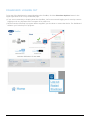
With local storage and online backup, your data is now secure on two fronts. Files stored on the LaCie CloudBox
are safe on your local network if you experience problems with your computer’s hard drive or operating system.
Since they are also backed up online, your files are kept secure outside of the home or office. This means that
your most critical data is protected against more grave concerns, such as theft, fire, or flood. Further, a
CloudBox Online Backup encrypts your data using 128-bit encryption before it is uploaded to your account.
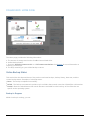
After you have configured the CloudBox, your Online Backups will run daily at a scheduled time. When the
scheduled backup starts, the Online Backup will search the CloudBox for the data to upload to your Online
Backup account. The Online Backup account will retain all the data stored on the CloudBox at the time of the
scheduled backup.
For example, along with many other files, Text Document A is stored on your CloudBox. Each day, the Online
Backup understands to retain Text Document A since it is consistently stored on the CloudBox. After a month,
you delete Text Document A from your CloudBox. Text Document A will also be deleted from your Online
Backup account during the next scheduled Online Backup.
INITIAL BACKUP AND UNSUPPORTED FILES
Depending upon the amount of data stored on the CloudBox, your initial online backup may require some time.
Please do not be alarmed if the backup takes many hours or several days. All online backups occur in the
background, leaving you free to operate your computer or workstation.
Factors that may contribute to longer Online Backups:
■
■
■
■
The amount of data (tens of gigabytes at once will significantly increase the backup time)
Network bandwidth
Network activity
The amount of files being backed up at one time
LaCie
2