1
SYNCHRONIZATION
Once set up, cameras must be synchronized in order to align their exposure timing. There are two primary methods of
synchronizing USB cameras - OptiSync and Wired Sync. S250E cameras use an Ethernet based synchronization.
Note: For general use, camera synchronization should be automatic once all the required cables have been connected.
The additional detail provided in this section is intended to provide assistance with custom needs such as shutter glasses
or force plate synchronization.
OptiSync: OptiSync is NaturalPoint’s custom synchronization that utilizes OptiHubs to control the synchronization of the
cameras. No extra sync cable is required. OptiSync is only available when using V100R2 cameras connected to
OptiHubs. Multiple OptiHubs in a camera group must be connected by a hub to hub sync cable in daisy chain fashion.
While technically possible, the use of mixed Wired Sync and OptiSync configurations are not officially supported.
Wired Sync: Wired sync provides camera to camera sync using an extra set of cables in a daisy chain arrangement in
addition to the USB cables. The Y-shaped sync adapter is required in addition to sync cables. Wired Sync should be used
if one or more non-V100:R2 cameras are present or if any of the cameras are not plugged into OptiHubs. Wired Sync
can be used instead of OptiSync if desired for V100:R2 cameras.
Wired sync is available for Flex:V100, Slim:V100, V100:R2, and V120:Slim cameras. Wired sync with an OptiHub in the
chain requires the master OptiHub to be at the start of the sync chain. If using the external trigger input capabilities of
an OptiHub, then the first camera in the daisy-chain must be connected to the Hub Sync Out jack of the OptiHub. V100
cameras can be used in the same Wired Sync chain with V100:R2 cameras. All other cameras (C120, V120:Slim) cannot
be mixed with other camera types.
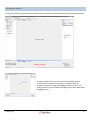
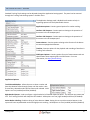
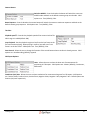
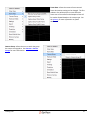
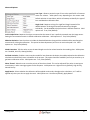
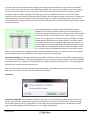
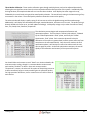
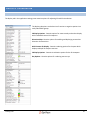
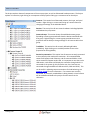
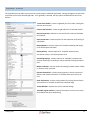
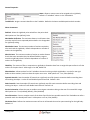
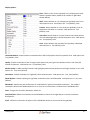
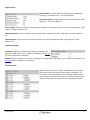
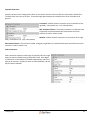
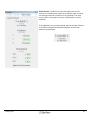
The Synchronization Pane in Tracking Tools allows the user to select
between common usage scenarios. The "Default Synchronization" setting
allows the cameras to auto-detect their synchronization mode (Wired
Sync, OptiSync, or Ethernet Sync) and has no external synchronization
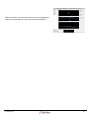
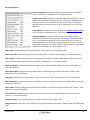
options enabled. If you are planning on synchronizing the system with an
externally-provided signal, you must have an OptiHub, an I/O-X Sync Box
(for V120:Duo or V:120 Trio systems), or Ethernet eSync. You can then
select "Custom Synchronization" or "Shutter Goggles Synchronization"
Tracking Tools
41