1
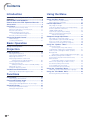
Contents
Introduction
Using the Menu
How to Read this Operation Manual .................. 3
Contents ............................................................... 4
IMPORTANT SAFEGUARDS ............................... 6
How to Access the PDF Operation Manuals ..... 8
Accessories ......................................................... 9
Part Names ........................................................ 10
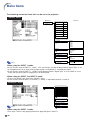
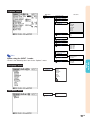
Menu Items ........................................................ 30
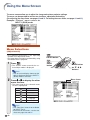
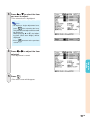
Using the Menu Screen .................................... 32
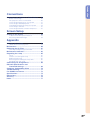
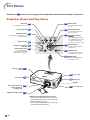
Projector (Front and Top View) ................................ 10
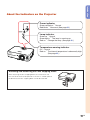
About the Indicators on the Projector ...................... 11
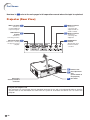
Projector (Rear View) .............................................. 12
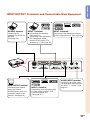
INPUT/OUTPUT Terminals and
Connectable Main Equipment .......................... 13
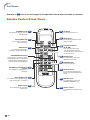
Remote Control (Front View) ................................... 14
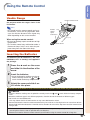
Using the Remote Control ................................ 15
Usable Range ......................................................... 15
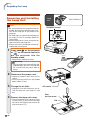
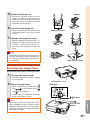
Inserting the Batteries ............................................. 15
Basic Operation
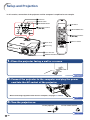
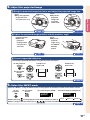
Setup and Projection ........................................ 16
Projection
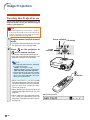
Image Projection ............................................... 18
Turning the Projector on ......................................... 18
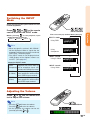
Switching the INPUT Mode ..................................... 19
Adjusting the Volume .............................................. 19
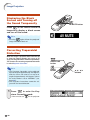
Displaying the Black Screen and
Turning off the Sound Temporarily ................... 20
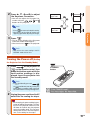
Correcting Trapezoidal Distortion ............................ 20
Turning the Power off
(Putting the Projector into the Standby Mode) .... 21
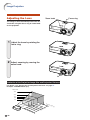
Adjusting the Lens .................................................. 22
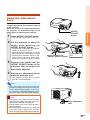
Using the Adjustment Feet ..................................... 23
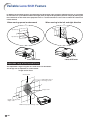
Variable Lens Shift Feature .............................. 24
Adjusting the Projected Image Position ................. 25
Functions
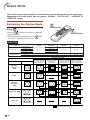
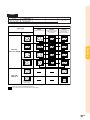
Resize Mode ...................................................... 26
Switching the Resize Mode ..................................... 26
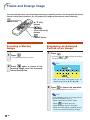
Freeze and Enlarge Image ................................ 28
Freezing a Moving Image ....................................... 28
Displaying an Enlarged Portion of an Image ........... 28
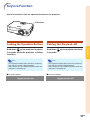
Keylock Function .............................................. 29
Locking the Operation Buttons ................................ 29
Taking the Keylock off .............................................. 29
-4
Menu Selections (Adjustments) .............................. 32
Menu Selections (Settings) ..................................... 34
Picture Adjustment ........................................... 36
Adjusting the Image ................................................ 36
CLR Temp (Adjusting the Color Temperature) ........ 36
Gamma (Gamma Correction) .................................. 37
sRGB (sRGB Setting) .............................................. 37
Signal Type (Signal Type Setting) ............................ 38
Memory (Storing and Selecting the
Adjustment Settings) ......................................... 38
Computer Image Adjustment ........................... 39
Adjusting the Computer Image .............................. 39
Special Modes (Special Mode Settings) ................. 39
Auto Sync (Auto Sync Adjustment) ........................ 40
Signal Info (Checking the Input Signal) ................... 40
Using the “Options” Menu ............................... 41
Lamp Timer (Life)
(Checking the Lamp Life Status) ....................... 41
OSD Display (Setting On-screen Display) ............... 41
Video System (Setting the Video System) ............... 42
Background
(Selecting a Startup and Background Image) .... 42
Eco Mode (Setting the Eco Mode) .......................... 43
Auto Power Off (Auto Power Off Function) ............. 43
Menu Position
(Selecting the Menu Screen Position) ............... 44
Menu Color (Selecting the Menu Color) ................. 44
Password (Setting a Password) .............................. 45
If You Forget Your Password ................................... 45
Anti-Theft (Setting the Anti-Theft) ............................ 46
Using the “Language” Menu ............................ 48
Selecting the On-screen Display Language ........... 48
Using the “PRJ Mode” Menu ........................... 49
Reversing the Projected Image .............................. 49