1
Suppressing Repeated Values in the List
Suppressing Repeated Values in the List
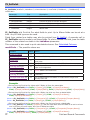
Repeated values in a sorted list can be suppressed using PL_SetRepeatVal. The repeated
value is shown on the first occurrence and at the top of each page thereafter.
PL_SetRepeatVal works on any sorted list regardless of whether any break level
information is shown or not.
Style and Color in Breaks
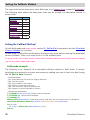
Style and color settings can be provided for each column within each break level using:
PL_SetBrkColor for break footers and PL_SetBkHColor for break headers to set foreground
and background colors using PrintList Pro’s palette or 4D’s palette.
PL_SetBrkRGBColor for break footers and PL_SetBkHRGBColor for break headers to set
foreground and background colors using standard RGB values.
PL_SetBrkStyle for break footers and PL_SetBkHStyle for break headers to set text style
settings
If no style or color information is given, PrintList Pro will use the corresponding column
settings from the list.
Multiple Lines in a Break
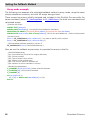
Both break headers and footers can be configured to be a fixed number of lines per break
or a variable number of lines.
To set the number of lines to be printed in a break level, use PL_SetBrkHeight for break
footers and PL_SetBkHHeight for break headers.
Please read the section Variable Height Breaks for more information.
If no calls to PL_SetBrkText are made for a specific break level, nothing will be displayed
for any break occurring for that level regardless of the number of lines or height pad
specified in PL_SetBrkHeight.
86
Break Level Processing