1
Getting Started
Before Use:
Carefully remove the Monarch card from the box. If you see any signs of leaking coolant, which is
green in color, please log into your Butterfly Labs account dashboard, select RMA and follow the RMA
prompts. Once your RMA is reviewed we will give you instructions on replacing the unit under
warranty.
Confirm all fans & water block pumps power connectors are properly plugged in prior to use. After
confirming all cables are seated, prepare for a power test and visual confirmation of fan functionality.
Both PCI Express power connectors must be connected before turning on the power supply. Please
review the important power supply notice. Butterfly Labs is not responsible for failed power supplies.
Once powered up, make sure all fans connected to the Monarch card are running including the fan on
the radiator. Turn off the power supply immediately if any fan does not operate properly.
External Mounting:
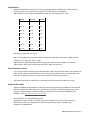
For safe & convenient external use, we recommend using the optional external mounting sled.
Externally run Monarchs are typically deployed on wire shelving units for economical large scale
deployment. Units are connected to a host computer via USB hub. The Monarchs ship with a USB B
cable. The USB B connector is on the end of the card. Please note that there is also a mini-B
connector on the top of the card which may or may not be mounted. This 2 nd connector is not active
and cannot be used in this generation of the Monarch card.
Once connected, the USB drivers for the miner should install automatically. If they don’t load, they
can be downloaded at this location: www.ftdichip.com/drivers/vcp.htm or find the link on
http://butterflylabs.com/drivers/. Find your Operating system (Both Windows and Linux
are supported) and select the correct download based on the processor.
Important: If you don’t have an external mounting sled, please ensure the surface of the Monarch
card remains safe from contact with any metal surface. Any card shorts or damage that occurs from
mishandling is not covered by manufacturer warranty.
Internal PCIe Mounting:
For installation inside a computer, remove the external mounting sled (if applicable). Plug the card
into a PCI Express slot of your computer and mount the radiator at the front or rear of the case with
the fan positioned to blow the hot air out. Most off the shelf computers will not have a power supply
capable of powering the Monarch. Please review the above requirements before trying to operate
your Monarch.
PCI Express Driver:
Monarch Manual: Version 1.4