1
Optional Feature Tour
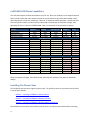
By default, all optional features are turned off for new CellTRAKR CRM accounts. However, the system
administrator has the option of turning on some or all of these features. This can be done by employee
type or even at the individual employee level. This section provides a quick overview of the available
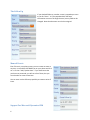
features. To see which features you have, click on “Settings” on the main menu and then click on
“Settings” again to see a detailed list of settings. You are not able to change these settings, so if you
desire changes, please consult your system administrator.
Location Reporting
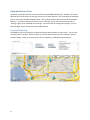
CellTRAKR can report your location at specified intervals and whenever an event occurs. You can also
manually submit a location. Administrators can see the location history and also send your phone a
location request. There are a variety of uses for this capability, including finding lost phones.
8