1
Advanced Operation
Web Interface
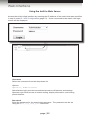
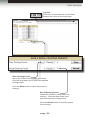
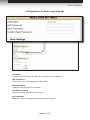
Configuration ► TCP / Telnet Terminal Login Settings
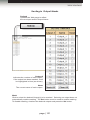
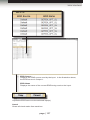
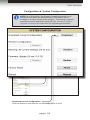
Old Password
Type the current (old) password in this field.
New Password
Type the new password in this field.
Force Password on Connect
Click this check box to have the matrix prompt for a password each time a Telnet
session is started.
Show Login Message on Connect
Click this check box to have the matrix display the Telnet welcome message each
time a Telnet session is started. The welcome message appears as: “Welcome
to GEF-MOD-16416 TELNET”
Save Settings
Saves the current changes to the Telnet Login Settings.
page | 111