1
INSTALLATION:
1. It is recommended to mount the CO2 sensor on a wall close to the CO2 source, with a minimum distance of 50 cm. It is not advisable to place the sensor directly over the CO2 source
if that source can reach very high temperatures (CO2 generator). The sensor must be placed
about 1 meter above the floor. For this, use the enclosed mounting bracket.
Sensor can
left or right
Sensor
50 cm
100 cm
CO2
source
ATTENTION: please make sure that the light sensor (the milk-colored cap on top of the
CO2 sensor) can observe any light directly and is not obstructed by e.g. shelves or fixings, as it will not be able to differentiate between night and day!
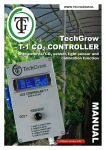
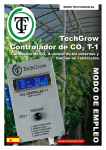
2. Also mount the TechGrow T-1 controller on the wall with the enclosed bracket.
3. Connect the sensor to the TechGrow T-1 controller with the supplied UTP cable.
4. Plug the CO2-source into the socket of the TechGrow T-1 controller.
5. Plug the TechGrow T-1 controller into a 230V wall socket.
6. Ready!
OPERATING AND ADJUSTING THE TECHGROW T-1 CONTROLLER:
• All the settings are adjusted by using the Push & Turn button (PTB).
• Enter the menu by briefly pushing the button. An arrow appears on the left side of the display. If you turn the button now, the arrow will switch between CO2 set to CO2 +/- and back
again.
3