1
English
C. CHARGING:
D. POWER On/Off:
1. Connect the charger’s plug to the Charger Socket (6)
oftheSHARKTOOTHSHARK.Connectthechargertoan
external power source.
Power On: Press the MFB (1) until Status Indicator (2)
turnsblue.Orpressforapproximately3seconds,abeep
will be heard.
Power Off: Press the MFB (1) until Status Indicator (2)
turnsred.Orpressforapproximately5secondsuntil3rd
tone will be heard.
Charge Indicator (2) Status:
Steady Red:
Steady Orange:
Steady Green:
Battery Low
Charging
Battery Full
2. When fully charged, disconnect the charger.
E. PAIRING TO YOUR BLUETOOTH DEVICES:
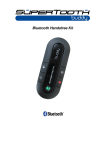
SHARKTOOTH SHARKis a Bluetooth device that is compatiblewithTelephone,Intercom,Music(A2DP),andGPS
navigator profiles.
1) Pairing Procedure for Telephone
(Calls and Music):
Note:IfyourphonesupportsA2DP(AdvanceAudioDistributionProfile),youcanstreammusicfromyourphoneto
the SHARKTOOTH SHARK.
8
Charger Plug