1
CONTENTS
CONTENTS ............................................................ 1
FEATURES ............................................................. 2
GETTING STARTED ............................................ 3
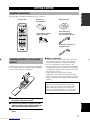
Supplied accessories .................................................. 3
Installing batteries in the remote control ................... 3
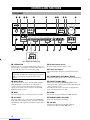
CONTROLS AND FUNCTIONS ......................... 4
PREPARATION
CONNECTIONS .................................................... 9
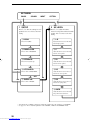
Set menu list ............................................................ 40
Adjusting the items on the set menu ....................... 40
SOUND 1 SPEAKER SET (speaker mode settings)
............................................................................. 41
SOUND 2 SP DISTANCE (speaker distance) ........ 43
SOUND 3 LFE LEVEL .......................................... 43
SOUND 4 D. RANGE (dynamic range) ................. 43
SOUND 5 CENTER GEQ
(center graphic equalizer) .................................... 44
SOUND 6 HP TONE CTRL
(headphone tone control) .................................... 44
INPUT 1 I/O ASSIGN (input/output assignment) .. 44
INPUT 2 INPUT MODE (initial input mode) ........ 44
OPTION 1 DISPLAY SET ...................................... 45
OPTION 2 MEM. GUARD (memory guard) ......... 45
OPTION 3 AUDIO MUTE ..................................... 45
OPTION 4 ZONE SET ........................................... 45
REMOTE CONTROL FEATURES ................... 46
BASIC
OPERATION
Before connecting components ................................. 9
Connecting video components ................................ 10
Connecting audio components ................................ 12
Connecting the antennas .......................................... 13
Connecting an external decoder .............................. 14
Connecting the speakers .......................................... 15
Connecting the power supply cords ........................ 18
Turning on the power .............................................. 18
SET MENU ........................................................... 40
PREPARATION
Front panel ................................................................. 4
Remote control .......................................................... 6
Front panel display .................................................... 8
ADVANCED OPERATION
INTRODUCTION
INTRODUCTION
Control area ............................................................. 46
Setting the manufacturer code ................................. 47
Controlling other components ................................. 48
BASIC SYSTEM SETTINGS ............................. 19
SETTING THE SPEAKER LEVELS ................ 49
Using the basic menu .............................................. 19
Setting the unit to match your speaker system ........ 21
Setting speaker output levels (SP LEVEL) ............. 21
Adjusting the volume during playback ................... 49
Using the test tone ................................................... 49
ADDITIONAL INFORMATION
PLAYBACK .......................................................... 22
SOUND FIELD PROGRAM PARAMETER
EDITING .......................................................... 50
Input modes and indications .................................... 24
Selecting a sound field program .............................. 25
Changing parameter settings ................................... 50
Digital sound field parameter descriptions .............. 51
DIGITAL SOUND FIELD PROCESSING (DSP)
............................................................................ 28
TROUBLESHOOTING ....................................... 52
GLOSSARY .......................................................... 56
SPECIFICATIONS .............................................. 58
Understanding sound fields ..................................... 28
Hi-Fi DSP programs ................................................ 28
ADVANCED
OPERATION
BASIC OPERATION
ADDITIONAL
INFORMATION
CINEMA-DSP ...................................................... 29
Sound design of CINEMA-DSP ............................. 29
CINEMA-DSP Programs ........................................ 29
Sound field effects ................................................... 31
TUNING ................................................................ 32
Presetting stations .................................................... 33
Selecting a preset station ......................................... 35
RECEIVING RDS STATIONS ........................... 36
Description of RDS data ......................................... 36
Changing the RDS mode ......................................... 36
PTY SEEK function ................................................ 37
EON function .......................................................... 37
SLEEP TIMER ..................................................... 38
RECORDING ....................................................... 39
English
1
Downloaded from www.Manualslib.com manuals search engine