1
your windows system folder is not on your c: drive you will need to change
the destination folder of the files int his archive).
3. Double click on Shapee.exe and extract the file to your VST plug-ins
directory. Check the manual for your VST host application (e.g. Cubase,
FruityLoops, Logic Audio) to see where on your system this folder should be.
The default extraction destination is c:\Program Files\Steinberg\Vstplugins
How to use
This plug-in can only be used as an ‘insert’ style effect in a stereo signal path (track
or buss). If it is used as a ‘send & return’ type effect it will not output any audio. For
information on how to use insert effects in your host application see its user manual.
This plug-in must be used in a stereo signal path as it uses the left input for signal 1
and the right input for signal 2. The ouput is in mono (left and right outputs are
identical). The plug-in takes two signals and combines them into one mono signal.
Unfortunately, although ‘side-chaining’ has been an essential part of studio
techniques for decades (used in keyed gating, de-essing etc.), it is not catered for in
the Steinberg VST specification. This means that processes which combine two
signals in some way (e.g. vocoders, side-chain compressors etc.) cannot be used as
easily as they could be. In Cubase VST we have to treat the two separate signals as
the left and right channels of a stereo signal. At the time of writing this document
Emagic Logic 5.0 has just been released which offers side-chaining, however until I
am able to test this version I do not if (or how) this side-chaining will work with VST
plug-ins. A quick (-ish) way of combining the outpus of two mono soundfiles is as
follows: Place one soundfile on Track 1 of your host application (e.g. Cubase) and the
second soundfile on Track 2. Pan track 1 hard left and track 2 hard right and send
these to a buss. Insert the plug-in across that buss – track 1 will be treated as signal 1,
track 2 as signal 2 and the combined sound will be output on both sides of this buss.
Otherwise use a stereo track and combine the two soundfiles beforehand.
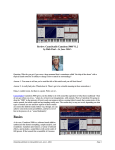
Screenshot: Shapee v1.0 (in Emagic Logic Audio 4.7)
2