1
Chapter 2 Setup
● Installing to Windows XP
Only authorized system administrators or printer administrators should install the Konica IP-011 Printer Driver to Windows
XP.
Please keep the “User Software CD” on hand since it is required to install the printer driver.
Printer Management on Windows XP
Since Windows XP is an operating system made specially for the network operation, it is equipped with
heavier security functions than Windows 95/98/Me.
According to the security level (access rights) of the user, the range of operations and settings of the
installed printer driver allowed to the user is limited.
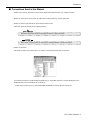
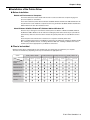
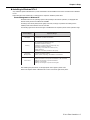
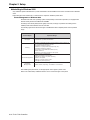
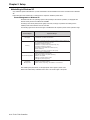
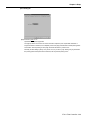
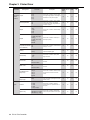
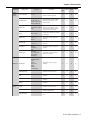
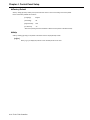
The following figure shows the access rights of the Windows XP compliant printers and its operation range.
Access Rights
No Rights
Printing
Printer Management
Document
Management
Operation Range
No operations of printers are allowed.
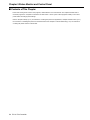
Execution of document printing and the following print conditions of
each document are allowed to be set.
• Operations related to printing
(selection of a paper size and paper tray, etc.)
• Operations related to graphics
(processing of resolution and halftone, etc.)
• Printer functions
(selection of functions peculiar to the copier)
•
•
•
•
•
•
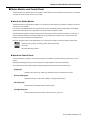
All of "Printing" management
Pause and restart of the printer
Changes of settings of printer spooling
Share of the printer
Settings of printer access rights
Changes of printer property
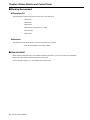
• Control of document setting
• Pause, restart, reprinting, and deletion of documents
After installing the printer driver, set the appropriate access rights to printer users.
Refer to the “Online Help” of Windows XP for how to set access rights of the printer.
2-14 IP-011 Print Controller