1
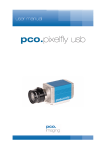
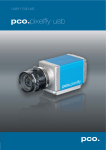
PixelFly Manual
2
Safety Instructions
For your own safety and in order to guarantee a safe operation of the camera,
please read carefully the following information prior to using the device.
-Never operate the camera at places where water or dust might penetrate.
-Ensure the camera head is securely mounted.
Shocks e.g. dropping the camera onto the floor might cause serious damage to the device. Where possible, the tripod attachment on the bottom
side should be used for mounting the cam era.
-Always unplug the camera before cleaning it. Do not use cleaning liquids
or sprays. Instead, use a dry, soft duster.
-Never insert any objects through the slots in the housing. The applied
voltage inside the camera can cause short-circuits or electrical shocks.
-The slots in the camera housing are needed for ventilation. In order to
guarantee a proper operation and to prevent overheating of the camera,
these slots must always be kept free.
-Make sure that the connecting cable is in good condition and that there is
sufficient clearance to connect to the com puter.
-Detach the camera and contact the customer service in the following
cases:
-When cable or plug is damaged or worn-out.
-When water or other liquids have soaked into the device.
-When the device is not properly working although you followed
all instructions of the user's manual.
-When the camera fell to the floor or the housing has been damaged.
-When the device shows apparent deviations of normal operation.
The COOKE Corporation
1091 Centre Road, Suite 100, Auburn Hills, MI 48326-2670
Tel: (248) 276-8820 Fax: (248) 276-8825 info@cookecorp.com, www.cookecorp.com