1
User Operational Manual PUCAR
Ver 1.2 Final | Nov 19, 2013
Table of Contents
Contents
1.
REVISION HISTORY ............................................................................. 6
2.
USER OPERATIONAL MANUAL .............................................................. 7
2.1.
General Information ....................................................................................................... 7
2.1.1. System Overview............................................................................................................. 7
2.1.1.1. Web Based Announcement System PUCAR.................................................................... 7
2.1.1.2. Features &Benefits.......................................................................................................... 7
2.1.2. Authorized Use Permission ............................................................................................. 7
2.2.
System Summary............................................................................................................. 7
2.2.1. System Configuration ...................................................................................................... 7
2.2.2. Data Flow ........................................................................................................................ 8
2.3.
About The Document ...................................................................................................... 8
2.3.1. Mouse Conventions ........................................................................................................ 8
2.3.2. Windows/Screen Conventions ........................................................................................ 8
2.3.3. Page Layout of Document ............................................................................................... 8
3.
USING THE SYSTEM ........................................................................... 11
3.1.
3.2.
3.3.
3.3.1.
3.3.2.
3.4.
3.5.
3.6.
3.7.
3.8.
3.9.
PUCAR Process Flow Diagrams .....................................................................................11
Login ..............................................................................................................................11
Common Screen Elements and Grids............................................................................15
Common Screen Elements ............................................................................................15
Common Grid ................................................................................................................17
Add Corporate Action ...................................................................................................18
Corporate Action List for a Particular Corporate Action Template...............................20
Corporate Action List for All Corporate Actions............................................................22
Corporate Action Preview .............................................................................................24
Change PIN ....................................................................................................................33
Logout ...........................................................................................................................34
APPENDIX 1
Appendix 1.1
Appendix 1.2
Appendix 1.3
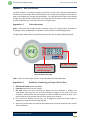
RSA SECURID TOKEN ........................................................... 36
Token Operations ...........................................................................................36
Definitions, Terminology and Tips of RSA Token:...........................................36
Token Handling Instructions ...........................................................................37
Karachi Stock Exchange Limited
3