1
9-12
Starting Up Your 8720MC
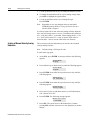
2. Depress the red stop button on the HIM module. Use the speed
potentiometer or speed arrows on the HIM to set the speed
reference to zero.
Note:
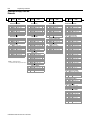
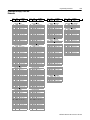
Refer to HIM Programming.
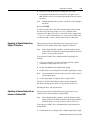
3. Push the start or green HIM button to run the motor, or the jog
button to jog the motor.
4. Use the speed potentiometer or speed arrows to increase your
speed reference to a desired level.
Disabling the drive, pressing the HIM red stop button, or releasing the
jog button will stop the motor.
Start-up of Motor Orient
This section provides the information you will need to orient your
motor:
The motor orient procedure provides a means of positioning the
motor to a precise location regardless of whether the motor is starting
from standstill or rotating at high speed. The procedure that follows
assumes that the motor feedback device is an SNS-60 Sincoder.
Note:
To understand the drive controlled motor orient feature refer
to Parameter 152, “Spin Orient Req”; Parameter 150, “Mtr
Marker Ofset”; Parameter 153, “Orient Angle”; Parameter154
“Orient Options”; Parameter 157, “At Spd Window”;
Parameter 222, “Spin Orient Spd”; Parameter 260, “Pos Accel
Rate”; Parameter 582, “Auto Home”, Parameter 76, “Position
Scaling” Parameter 79, “Rot Posn Resolut” and parameter
103, “Modulo Value” in Chapter 8, Programming Parameters.
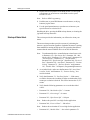
1. As an initial check, make sure that Parameter 582 “Auto Home”
is set for “Index” and Parameter 76, “Position Scaling”, has
modulo checked.
2. Verify that Parameter 79, “Rot Posn Resolut” = 3600 counts/
revolution. Increase the resolution if higher resolution than 3600
counts per revolution is desired. This can be increased to 32,767
counts.
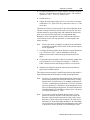
3. Verify that the following parameters are set to the described
values:
•
Parameter 150, “Mtr Marker Ofset” = 0 counts
•
Parameter 153, “Orient Angle” = 0 counts
•
Parameter 222, “Spin Orient Spd” = 100 rpm.
Note:
•
Parameter 260, “Pos Accel Rate” = 100 rad/sec.
Note:
•
Publication 8720MC-UM 001C-EN-P Feb 2001
Reduce the speed if it is too high for the application.
Reduce the acceleration if it is too high for the application.
Parameter 103, “Modulo Value” = the value in parameter 79.