1
UNICORE Commandline Client: User Manual
7.5.1
17
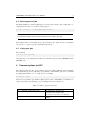
Importing files into the job workspace
To import files from your local computer or from remote sites to the job’s working directory on
the remote UNICORE server, there’s the "Imports" keyword. Here is an example Import section
that specifies three imports:
{
Imports: [
# import a local file into the job workspace
{ From: "/work/data/fileName", To: "uspaceFileName" },
# import a set of PDF files into the Uspace
{ From: "/work/data/pdf/*.pdf", To: "/" },
# import a remote file from a UNICORE storage
{ From: "u6://DEMO-SITE/Home/testfile", To: "otherUspaceFile"
},
]
←-
}
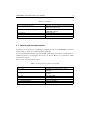
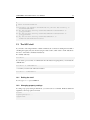
If for some reason it may happen that the local file does not exist, and you want the job to run
anyway, there is a flag "FailOnError" that can be set to "false" :
Imports: [
# do not fail on errors for this import:
{ From: "/work/data/fileName", To: "uspaceFileName",
FailOnError: "false", },
]
←-
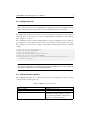
Note
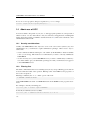
UCC supports simple wild cards ("*" and "?") for importing exporting LOCAL files, i.e. currently
wildcards do not work for server-to-server imports and exports.
7.5.2
Importing files into other storage locations
Note
This requires a UNICORE server v6.4.2 or later
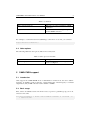
A UNICORE site may supports multiple storages (for example, a TMP or SCRATCH directory).
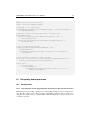
To instruct the server to stage-in a file into such a storage, the "Filesystem" tag may be used.
For example to stage-in a file into SCRATCH space, the following Imports definition can be
used: