1
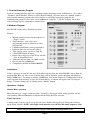
Click the Add button to add a new on/off time. You can set the event day, time and whether the event is
an on or off event. The timed events are automatically listed in chronological order. Complete timed
sequences can be saved to a file by clicking on the “Save Settings” button on the main program
window. Likewise, previously stored sequences can be recalled by clicking on the “Load Setting”
button.
Operation – Inputs
The Software checks the status of the inputs twice a second, and illuminates an appropriate LED if an
input signal is detected. The software also includes a data logger, where the inputs are logged to a file
called “Digin.log” along with the date and time. This is an ASCII text file, which can be viewed in
Notepad or Excel (the file uses the “;” parameter separator character)
•
•
•
Start/Stop button – starts or stops data logging
Reset File – erases any existing data in Digin.log
Log Rate – enter a log rate value in seconds
3. Writing You Own Software
The supplied program is written using ProfiLab software package available form Audon Electronics.
This is a low cost graphical programming package aimed at non-programmers. A Demo version is
available on the supplied CD.
Visual Basic
A VB example is also included on the CD. The component Mscomm must be installed for this example
to work. Mscomm is freely available from the Microsoft web site.
Audon Electronics 123 High Road, Chilwell, Nottingham, NG9 4AT UK
Phone +44 (0)115 925 8412 Fax +44 (0) 115 925 9757 email info@audon.co.uk
Page 3