1
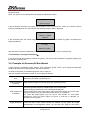
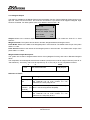
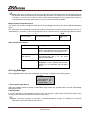
Whether to perform the anti-pass back function is determined by the latest record of the user's entry and exit.
With this function, the exit record must match the entry record. The function supports "Out", "In", "In Out",
"None and save " or "None" anti-pass back. By default, the identification status of the master is exit and that of
the slave is entry, so if " out anti-pass back " has been set and when the last record of the user's entry is not
"entry", the system will prompt anti-pass back refusal" and refuse to open the door if the user wants to exit.
The logic is the same with "out anti-pass back" and " in out anti-pass back".
For example, now A wants to exit.
① If the last record for A is not entry, the device will prompt anti-pass back refusal and refuse to open the
door.
② If the last record for A is entry, after the fingerprint identification is passed, the device will open the door.
3) Alarm function
If the slave is equipped with alarm function (e.g. F10), when an alarm incident occurs, the slave will forward it
to the master to process. This function is not available on devices not equipped with alarm function.
2. The Connection of the Master and the Slave
Currently, three modes-RS232, Wiegand and RS485 are applicable for the connection of the master and the
slave. Of the three, RS232 is less often used due to its short connection distance. For example, it can be used
when the master and the slave are just installed respectively inside and outside a door. Its connection
principle is similar to that of RS485, which is omitted here. The Wiegand connection is widely used, most of
whose devices on the market are applicable to the master and the slave. RS485, whose transmission
distance is great (however it is recommended that the distance should not be over 600 meters), applies to
most occasions, but the slave must be equipped with the inBIO reader (which is used for collecting fingerprint
or swiping card).
If Wiegand connection is to be used, the connection and setting for anti-pass back are as follows:
1) Select model:
Master machine: Machine with Wiegand in function, except for F10 Reader.
Slave machine: Machine with Wiegand Out function.
2)Master-slave menu setting:
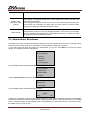
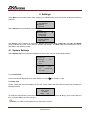
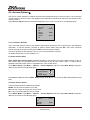
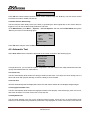
This machine supports out, in, out-in, No, No and saved anti-pass back (enter Menu -> setting -> system
setting -> advanced setting -> anti-pass back).
3) Modify device’s Wiegand output format:
If the two devices are communicating, only Wiegand signals without device ID can be received. Enter device
Menu -> Comm. Opt -> Wiegand option or enter software: Basic setting -> device management ->
Wiegand, to modify “defined format” as “wiegand26 without device ID”.
4) Enroll user:
The user must be on master machine and slave machine at the same time, and user PIN must be the same.
Therefore, it is necessary to enroll user on master machine and slave machine at the same time.
5) Connection instruction:
201 Circle Drive N, Suite 116 Piscataway, NJ 08854 Tel: 732-412-6007 Fax: 732-412-6008
www.zkaccess.com