1
Your new SOUNDglasses® SG05can be connected only to mobile phones, music readers, GPS navigators and other devices that are equipped with Bluetooth® communication system.
To achieve wireless connection with your BT mobile phone, it is necessary to make an initial setting operation called “Pairing”.
The Pairing process is required only when the product is used for the first time. From the second time on, when you push the power switch ON some phones will reconnect automatically ( Bt auto reconnection feature); some others will show the writing “Do you want to connect with Buhel SG05?” and you will have to push “ok” only.
Bt Connecting Operation:
To avoid mis-pairing with other devices, please locate your Buhel SG05 and the device that you wish to pair as close as possible, better within 1 meter.
Please also control that there are no other devices with pairing code “0000” (four zeros) active nearby.
Press and hold the MFB for 2 seconds ( approx ) until the blue and red LED flashes alternatively quickly. SG05 is in pairing mode now.
Search for Buhel SG05 using your phone or other device. For more information on how to search for a Bluetooth® device, please refer to the Instruction Manual of your phone/device.
Select “Buhel SG05” from the list of devices discovered from your phone or music reader.
Follow the onscreen steps to confirm the selection.
Please Note: some models of phones or music readers also may require you to insert a password. In this case, please enter the passkey “0000” (four zeros).
When pairing is successful, the blue LED flashes slowly.
Do not need to pair again for a paired device, you will only have to follow the normal ON Procedure. (LED flashes slowly)
Remove Bt Connection:
Power off your SG05.
Place your SG05 out of the Bluetooth sensing distance of the the paired device.
Select the Disconnection function on the paired device and follow the procedure.
Auto-answer
SOUNDglasses® SG05 has auto-answer for incoming call. The incoming call will be answered automatically after 6 seconds. Press MFB for 2 seconds to reject an incoming call.
Voice Dialing
SOUNDglasses® SG05 allows Voice Dialling phone calls. This feature is supported only by mobile phones that include the Voice Dial feature.
Under stand-by mode, press the MFB button until you hear the voice indication from your mobile. Pronounce clearly the pre-recorded voice tag stored in the mobile. Follow the voice instructions of
your mobile.
Volume Setting
Volume can be adjusted on 4 preset levels.
Volume increases by one level each time the volume button is pushed.
Volume returns to level 1 by pushing once on the volume button when it’s at the maximum level ( 4 ).
Restore Operation of the Factory Settings
In the event the user has problems with the pairing with another device or making an operation, the function will be blocked.
In this case it is necessary to reset the function and restore back to the factory settings by the following operation: in the stand-by mode, press
simultaneously MFB button and Volume button for 6 seconds, and until hearing 2 beeps.
Follow the pairing or the operation instruction once again from the start.
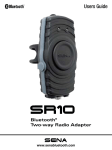
PRODUCT & BUTTONS ILLUSTRATION
1: Patented buhelvibe® Speaker
2 : Micro USB Port
Travel Charger & Adaptor
3 : Blue & Red Led
4 : Volume button
5 : MFB - Multi Function Button
6 : Microphone