1
Preparatory Measurements - Baselines Continued
Recreating Baselines
Deleting Baselines
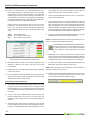
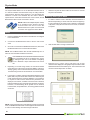
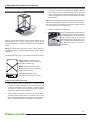
To recreate a baseline for a particular energy or plan, the procedure
is nearly identical to creating a baseline.
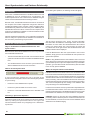
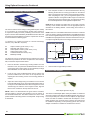
If a plan or energy was created by mistake or is no longer needed, it
can be deleted from the database using the following procedure.
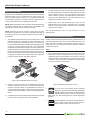
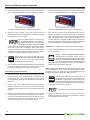
1. Setup the QA BeamChecker Plus hardware as described in the
section titled Step 1: Hardware Setup on page 12.
1. Connect the QA BeamChecker Plus to the PC.
2. Continue with Step 2: Prepare the Communication Software
steps 1-4.
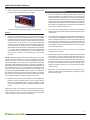
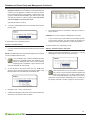
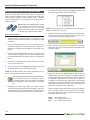
3. On the Baselines tab, select the energy or plan to be
recreated.
2. Launch the Communication Software and ensure the correct
database is loaded.
3. Select the desired room containing the plan or energy for
deletion on the left side of the screen.
4. Click the Recreate This Baseline button.
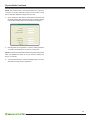
5. Continue with steps 7-11 from Step 2: Prepare the Communication
Software. The new baseline will be saved to the database.
NOTE: Once a new baseline is created, it is not possible to revert
to an older version, however previous baselines are archived in the
database for continued comparison to pre-existing measurements.
After a baseline is recreated, subsequent measurements
will be compared to the new baseline. See the Data View Download, Trending, and Analysis section of this manual for more
information.
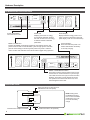
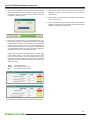
4. Select the Baselines tab and confirm the Connection Status
reads “Waiting” (yellow).
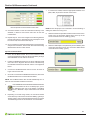
5. Select the desired plan or energy for deletion.
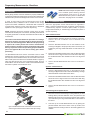
6. Click the Delete Plan or Delete Energy button depending on the
room type.
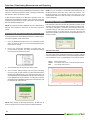
7. Confirm the operation.
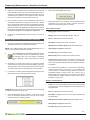
CAUTION: Once an energy or plan is deleted, it CANNOT be
recovered.
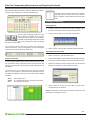
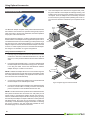
8. A .csv file will be exported which contains all baseline and
measurement information for the selected plan or energy.
Browse for a location to save this file and click OK to confirm.
15