1
○
○
○
○
r
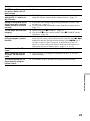
Battery power is getting low.
○
○
r
○
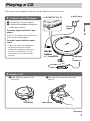
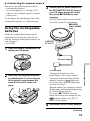
1
Unlock the cap of the external
battery case, and insert two LR6
(size AA) alkaline batteries by
matching the 3 to the diagram
outside the external battery case
and close the cap of the external
battery case.
Battery power is full.
r
r
○
Make sure to use the supplied external
battery case.
Use only the following dry battery type for
your CD player:
• LR6 (size AA) alkaline batteries
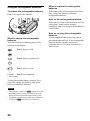
When to replace the batteries
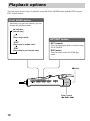
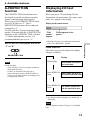
You can check the remaining power of the
batteries in the display.
○
Using the dry batteries
Battery power is low.
r
Lobatt*
Batteries are depleted.
* Beep sounds.
When the batteries are depleted, replace both
batteries with new ones.
The batteries in the CD player and external
battery case are discharged simultaneously.
Notes
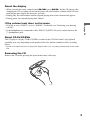
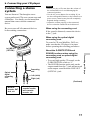
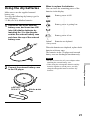
Connect the external battery case
to the CD player.
to EXT BATT/
DC IN 4.5 V
With the v side
down
21
Connecting to a power source
2
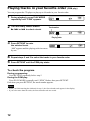
• Be sure to remove the AC power adaptor when
attaching the external battery case.
• When using the rechargeable batteries and dry
batteries together to extend power, use fully
charged rechargeable batteries and new dry
batteries.