1
HOV-THR
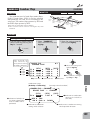
Hovering throttle
(HELICOPTER)
Function
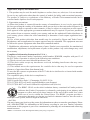
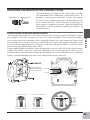
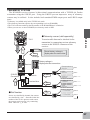
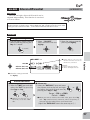
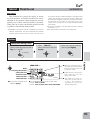
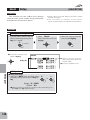
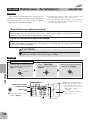
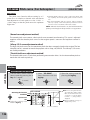
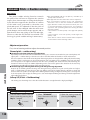
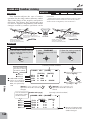
The hovering throttle function trims the throttle
near the hovering point.
When the hovering throttle knob is turned
clockwise, the speed increases and when it is turned
counterclockwise, the speed decreases. Rotor
speed changes due to changes in the temperature,
humidity, and other flying conditions can be
trimmed. Adjust for the most stable rotor speed.
More precise trimming is possible by using this
function together with the hovering pitch function.
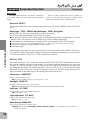
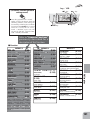
ŏ7KHRSHUDWLRQFRQGLWLRQFDQEHVHOHFWHGIURPRQO\
QRUPDORUQRUPDOLGOHXS
Method
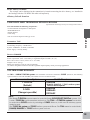
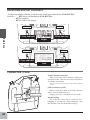
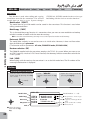
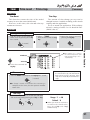
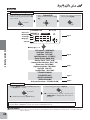
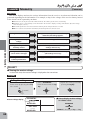
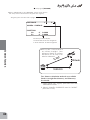
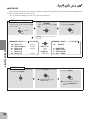
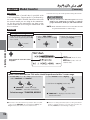
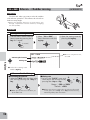
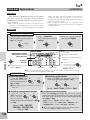
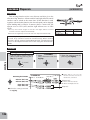
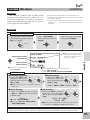
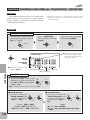
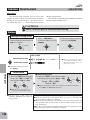
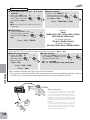
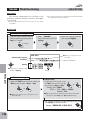
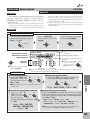
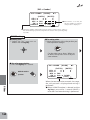
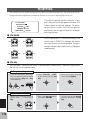
Calling the setting screen
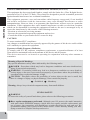
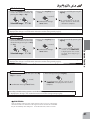
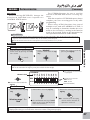
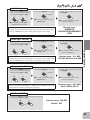
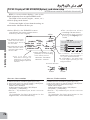
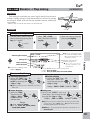
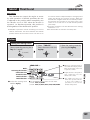
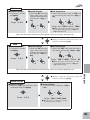
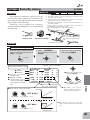
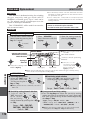
① Call the menu screen from the
home screen by pressing the +
key for 1 second.
② Select "HOV-THR"
from the menu with the
Jog key.
③ Open the setting screen by
pressing the Jog key.
+ (1 second)
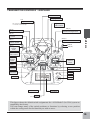
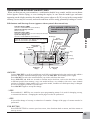
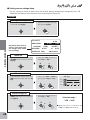
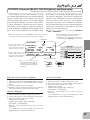
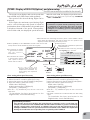
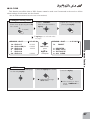
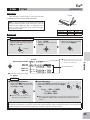
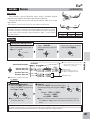
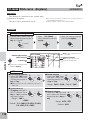
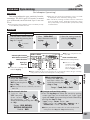
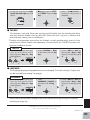
Activating the function
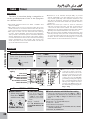
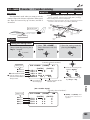
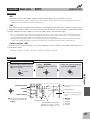
● When "INH", the function
cannot be used. To use the
function, switch to "ON".
+297+5
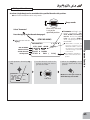
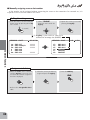
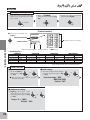
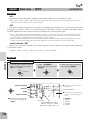
Trim memory settting
(Compensation amount at trim
memory)
VR setting
Selection of condition
(Actual compensation amount
including the hovering throttle
knob)
● Select the setting item
with the Jog key.
● The knob operating direction
is different depending on the
polarity.
● NORM:Only the normal condition operates
● NORM/IDL1:It operates by normal condition and
idle-up1.
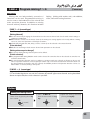
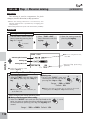
Hovering Throttle
−
or
● When you do not use a function, set to
the "INH" side.
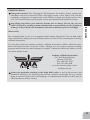
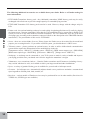
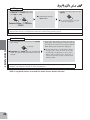
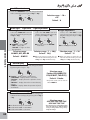
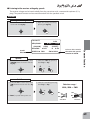
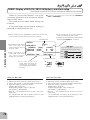
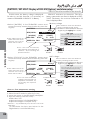
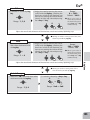
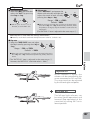
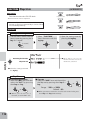
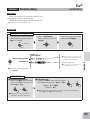
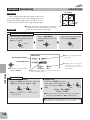
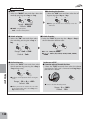
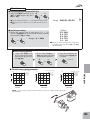
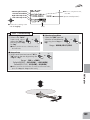
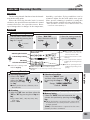
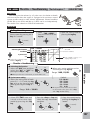
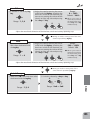
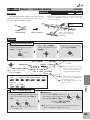
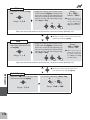
■ VR setting
③ Select the "VR" item and then select the
"VR" or "DT" by pressing the + key or ‒
key.
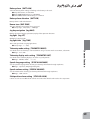
Range:NULL
(OFF)
, +VR, -VR, +DT5, -DT5,
+DT6, -DT6
Default:+DT6
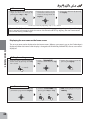
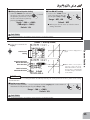
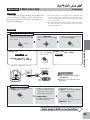
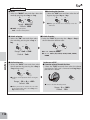
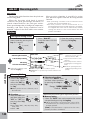
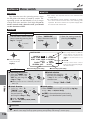
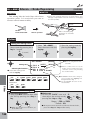
■ Selection of condition
② Select the "MODE" item
and then select condition
by pressing the + key or ‒
key.
+
−
or
Range:NORM, NORM/IDL1
Default:NORM
Helicopter
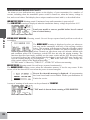
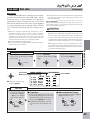
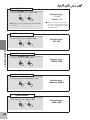
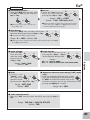
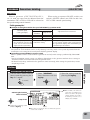
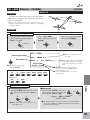
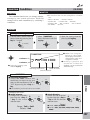
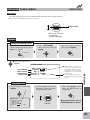
■ Activating the function
① Select the "MIX" +
item and then
select the "ON" by
pressing the + key
or ‒ key.
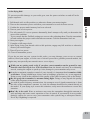
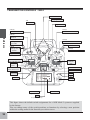
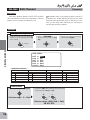
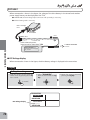
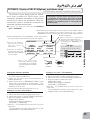
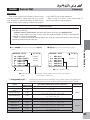
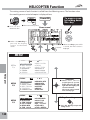
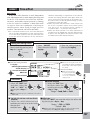
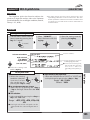
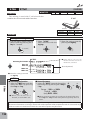
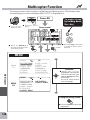
(Memorizing the hovering throttle adjustment position)
■ Memory setting
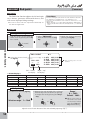
④ Select the "RATE" item and memorize the
current trim position by pressing the Jog
key.
● When the knob is returned to the center after
memorization, the trim position returns to its
previous position.
[NOTE]If memorization is repeated at the same
position, the value is cumulated.
143