1
7. Operation
7.1 Main menu
7.1.1 Operating mask
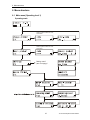
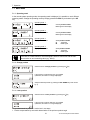
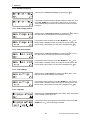
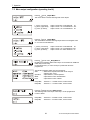
In the normal system operating mode, the operating mask is displayed. It is possible to use 4 different
operating masks. Change the operating mask by keeping pressed the ESC key and select by the UP
key.
Operating mask 1:
Displayed information
Operating mask 2:
Displayed information
Operating mask 3:
Displayed information
Operating mask 4:
Displayed information
Current product number
Metal signal as bar display
Current product number
Metal signal as bar display
Actual product number
S:
Threshold
M:
Metal signal
Actual product number
S:
Threshold
M:
Metal signal
In the case of a metal detection, the metal signal is held for a short time with the max.
value as a bar or as a measuring value (e.g.: M:0.8).
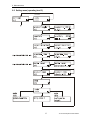
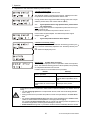
7.1.2 Change product
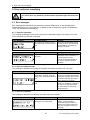
Select the menu “Change product” by pressing the
key
If the customer code has been set, input CODE
(otherwise, this mask is no longer displayed)
Select the desired product by pressing the UP / DOWN keys and confirm
by
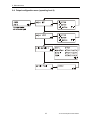
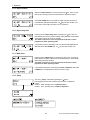
7.1.3 Learn product
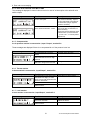
Select the menu “Learn product” by pressing the
key
If the customer code has been set, input CODE
(otherwise, this mask is no longer displayed)
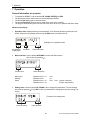
The product teach-in process is carried out in two steps:
1. Product compensation by automatic determination of the optimum product angle
21
TecTronix-Sensity-BA-CU-EN-3029.doc