1
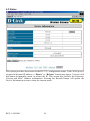
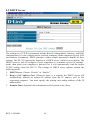
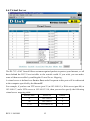
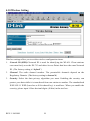
4.5 DHCP Server
The settings of a TCP/IP environment include Host IP, Subnet Mask, Gateway, and DNS
configurations. It is not a simple task to correctly configure all the computers in your LAN
environment. Fortunately, DHCP provides a rather simple approach to handle all these
settings. The DI-713 supports the function of a DHCP server, which is set as default. The
DHCP server is able to configure of your computers to “automatic receive IP settings”
mode, then when your computer is powered on, it will automatically load the proper
TCP/IP settings from the DI-713. The settings of DHCP server options include the
following items:
1. DHCP Server: Choose “Disable” or “Enable.”
2. Range of IP Address Pool: Whenever there is a request, the DHCP server will
automatically allocate an unused IP address from the IP address pool to the
requesting computer. You must specify the starting and ending address of the IP
address pool.
3. Domain Name: Optional, this information will be passed to the client.
REV: 11062000
14