1
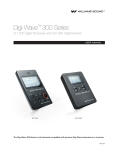
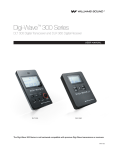
DigiWave 300 Series Digital Transceiver and Receiver
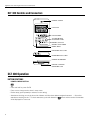
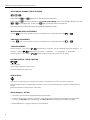
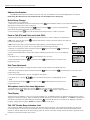
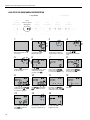
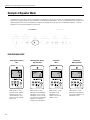
QUICK GROUP CHANGE / SETUP BUTTONS
·· Press and hold
and
together for 3 seconds to enter setup menu
·· Press and hold
button for 3 seconds to enter quick group change mode. The GRP light will flash. Then use
or
to change groups. To exit, push
again or just wait until the unit times out.
·· Use these buttons to select channels in simultaneous interpretation mode
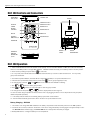
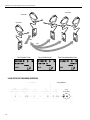
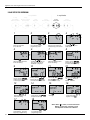
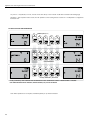
MICROPHONE LEVEL ADJUSTMENT
·· Hold the
button for two seconds to enter mic level adjustment. For level adjustment use
LINE LEVEL ADJUSTMENT
·· Hold the
button for two seconds to enter mic level adjustment. For level adjustment use
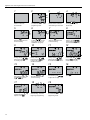
TONE ADJUSTMENT
·· Press and hold the – and + buttons
·· Using the -/+ buttons
or
simultaneously for 2 seconds. The LCD will display the last tone setting t: (1 - 9).
, adjust the tone up or down:1 = Most bass
·· Press and hold the – and + buttons
or
5 = Flat (Default) 9 = Most treble
simultaneously for two seconds to save the tone setting.
VOLUME CONTROL / SELECT BUTTON
·· Control / Volume
·· Use to navigate selections in setup menu.
·· Access and adjust tone control (0-53)
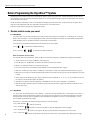
TALK BUTTON
·· Press button momentarily once to activate the microphone. Press button once more to turn off the microphone
·· P
ress and hold the button for approximately 2 seconds to mute other DLT 300 Guest units. Only the M1 and M2 have this
function.
([TALK] LED will blink on all units when in mute mode).
Battery Charging – DLT 300
1. This Product uses an internal rechargeable Lithium Polymer battery.
2. U
se the 30 Pin connector, located on the bottom of DLT 300 to charge the battery. Full charging time is approximately
12 hours. The Red LED flashes while charging. The Green LED will be on steady when the battery is charged.
3. Battery Maintenance - Charge the battery at room temperature.
6