1
Current Solutions TM
Program
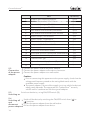
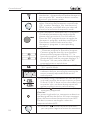
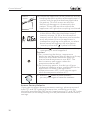
10.Each therapeutic waveform has 10 programs.
The details parameters for each program
please refer to section 6.4 in this manual. Press
the “B2”Program button to toggle the therape utic program, and then rotating the Parameters
control knob to select the therapeutic
programs in corresponding waveform.
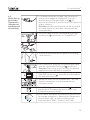
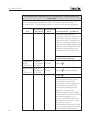
11. There are two types program for you to select
-- Common program or specialist program.
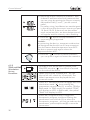
Common program has only one treatment
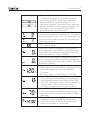
phase and the program displays ”P-”. In
specialist program, there are three treatment
phases display and the program displays ”S -”
like figure. You can press and hold “B2”
program button to switch them.
12.Apply a layer of transmission gel to the
treatment area. Please note: Please purchase
the transmission gel that is cleared by the FDA.
13.Adjust the output intensity and start electrical
treatment that you are using by rotating the
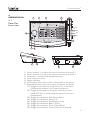
output intensity adjustable knob (②) on the
control panel.
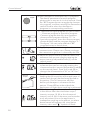
14.Adjust the intensity and start ultrasound
treatment that you are using by rotating the
ultrasound output intensity adjustable knob(⑧)
on the control panel. Press the knob (⑧) to
change the ultrasound unit ”W ” or ”W/ cm 2 ”.
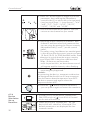
Ultrasound
Couplant
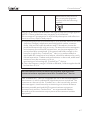
15.Couple the applicator to the treatment area by
keeping the entire surface of the applicator in
contact with the gel that has been applied to
the patient. This will ensure an efficient
delivery of therapeutic ultrasound to the
patient. Green LED on either side of the
applicator will light when coupling is achieved.
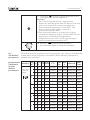
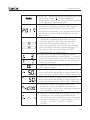
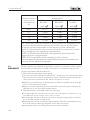
16.For safety using, load detection was designed
in this device after the stimulation output
intensity surpass 10.0V or the ultrasound
intensity over 0.5W. If there are no electrodes
stuck on patient ’skin or the applicator is
inadequate coupling to the patient, an alarm
buzzer sound will appear, the stimulation
intensity value and ” ” symbol will flash.
20