1
For the items listed above, please confirm the actual
products.
lf any damage, please contact with
the
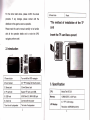
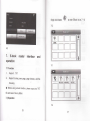
8. Reset
hole
I
Reset
distributor or the agent as soon as possible.
*The method of installation of the TF
Please read this user's manual carefully to be familiar
card
with all the operation details and to make the GPS
lnsert the TF card face upward
navigator performs well.
lHn
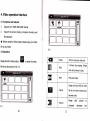
2. lntroduction
l.Power button
Tum on/off the GPS navigator
2.Touch screen
4.3" TFT display with touch screen
3. Stereo jack
3.5mm Stereo Jack
4. TF card slot
Support TF card up to 8GB.
cPu
Media Tek MT3351
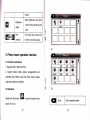
5. USB hole
USB Client 2.0, MlNl USB port
Memory
12BMB DDRII ,4GB Flash
6. check nut
Gonnect with the power
7.the hole of loudspeaker
The hole of loudspeaker
2
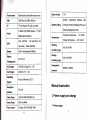
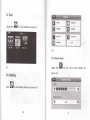
3. Specification
4.3'TFT LCD display,
LCD display
Resolution :4B0RGB(H)x272(V)
J