1
Read Me First-2
2.
ToolBox Setup
This chapter describes how to install and set up the ToolBox software on a PC.
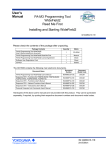
The ToolBox installer program supports the following setup operations.
ToolBox Installer Program
Existing
ToolBox
Installed?
Yes
No
ToolBox maintenance
New installation of
ToolBox
Updating ToolBox
Restoring ToolBox
Uninstalling ToolBox
2.1 Installing ToolBox
2.2 Updating ToolBox
2.3 Restoring ToolBox
2.4 Uninstalling
ToolBox
TIP
The ToolBox installer automatically detects whether ToolBox is already installed on a PC, and then runs
in new installation mode or maintenance mode accordingly.
TIP
To check the version of the ToolBox software, which is installed on your PC, run ToolBox, and select
[Help]-[About ToolBox] from the menu bar. A dialog box as shown below is displayed.
IM34M06Q30-11E
6th Edition: Dec., 2014-00