1
Table of Contents
Administrative User Interface .................................................................................................... 1
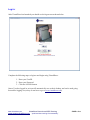
Log In:...............................................................................................................................3
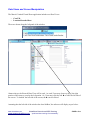
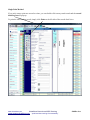
Data Views and Screen Manipulation ...............................................................................5
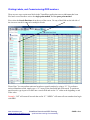
Printing Labels, and Commissioning RFID numbers ........................................................7
VIEW LABELS BEFORE PRINTING ..............................................................................12
Applying Labels to Folders and Commissioning RFID #'s to the Database ....................14
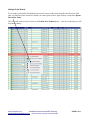
Tracking Records IN or OUT of Filing System ................................................................17
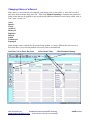
Changing Status of a Record..........................................................................................26
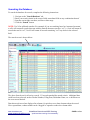
Searching The Database: ...............................................................................................27
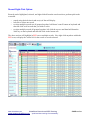
Record Right-Click Option:.................................................................................................. 28
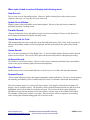
When right-clicked records will display the following menu: ............................................. 29
View Record: ........................................................................................................................ 29
Update Record Status: .......................................................................................................... 29
Transfer Record: ................................................................................................................... 29
Queue Record for Print: ........................................................................................................ 29
Queue Record: ...................................................................................................................... 29
UnQueue Record: ................................................................................................................. 29
Email Record: ....................................................................................................................... 29
Request Record: .................................................................................................................... 29
To VIEW a Single Record, Update the Record, Take Actions on the Record, or View AUDIT
TRAIL / HISTORY of the Record ....................................................................................... 30
Chain-of-Custody Report / Audit Trail .............................................................................31
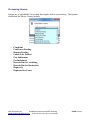
Processing Queues ........................................................................................................32
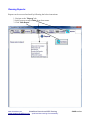
Running Reports: ............................................................................................................36
Administrative Tasks:......................................................................................................38
Adding a New User: ............................................................................................................. 38
Adding a New Location:....................................................................................................... 39
Adding a New Queue: .......................................................................................................... 39
Starting VirtualDoxx (TO SEARCH FOR RECORDS, REQUEST RECORDS AND
TRANSFER RECORDS): ...............................................................................................41
Log In: .................................................................................................................................. 41
www.virtualdoxx.com
VirtualDoxx Barcode and RFID Tracking
“optimized item tracking & accountability”
www.weaponstracking.com
PAGE 2 of 44