1
MiView Digital Microscope User Manual
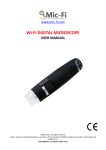
Product Specifications
u
u
u
u
Operation system: Windows XP SP2 /Vista/ Window 7/Win8
PC interface: USB 2. 0
Image Sensor: 1. 3 Mega or 2.0 Mega pixels or 5.0 Mega pixels
Video Capture Resolution: 1.3MPixel 1280x1024, 640x480, 320x240
2.0MPixel 1600x1200, 1280x960, 640x480
5.0MPixel 2592x1944, 2048X1536, 600x1200, 1280x1024, 640x480
u
u
u
u
u
u
u
u
u
Color: YUV or 24bit RGB or MJPG
Lens: High Definition Microscopy
Focus Range Manual Focus From 8mm to 300mm
Magnification Ratio 5X to 200X
White Balance: Auto.
Exposure: Auto
Light Source: 8pcs adjustable White LEDs
Power supply: 5V DV from USB Port
Size: 120mm (L) X36mm (R)
u USB Cable:1.8m
Safety Cautions
1.
Avoid touching the lens with finger to dirty it and protect the product from electrostatic
damage.
2. Do not attempt to disassembly any part of this product.
3. Do not attempt to service this product yourself. Opening the covers may expose you to
dangerous voltage points or other risks.
4. Storing and operating MiView USB digital microscope at Temp: -20 ~ 45°C, Humidity:
45% ~ 85%, as this will extend Product life and prevent damage to the product.
5. Do not allow this product to have contact with water or other liquids. If water or other
liquids enter the product interior, immediately unplug the product from PC. Continued
use of the product may result in fire or an electrical shock.
6. Do not use any detergent or volatile solution, which will damage the camera case,
painted surfaces and lens. Only use a soft cleaning cloth to clean it.
7. Do not place this product near a heat source or expose direct flame, avoid the lens
damaged by high temperature or humidity
8. If the lens is dirty, please use a kens brush on soft cloth to wipe clean. Avoid touching it
with your fingers. Exercise care to avoid scratching the lens.
9. Need to read MiView USB digital microscope User’s Manual before using and storing
it.
10. To avoid electric shock, remove all electricity source before moving PC.
Page 3 of 27