1
CONTENT
1. SAFETY PRECAUTIONS............................................................................... 1
2. INTRODUCTION ............................................................................................ 2
2.1 Product Introduction ................................................................................ 2
2.2 Application .............................................................................................. 2
3. FEATURES ...................................................................................................... 3
4. PACKING LIST ............................................................................................... 4
5. NAME and FUNCTION of EACH PART................................................................ 5
5.1 Front Panel............................................................................................... 5
5.2 Rear Panel................................................................................................ 5
6. INSTALLATION.............................................................................................. 6
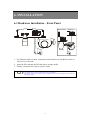
6.1 Hardware Installation – Front Panel........................................................ 6
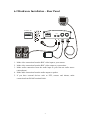
6.2 Hardware Installation – Rear Panel ......................................................... 7
6.3 System Configuration .............................................................................. 8
6.4 Software Installation................................................................................ 8
7. VIDEO SERVER SETUP................................................................................. 9
7.1 First Time Application Instructions......................................................... 9
7.2 Access Video Server.............................................................................. 12
7.3 Install ActiveX....................................................................................... 13
7.4 Web Interface Settings .......................................................................... 19
7.5 Resetting to the Factory Default Settings .............................................. 43
7.6 Reboot.................................................................................................... 43
7.7 Logout.................................................................................................... 43
8. IP Surveillance................................................................................................ 44
8.1 Introduction ........................................................................................... 44
8.2 Suggested Platform and PC Requirements............................................ 45
8.3 Installing IP Surveillance Software ....................................................... 45
8.4 Split Screen............................................................................................ 48
8.5 IPS (IP Surveillance) Device List.......................................................... 54
8.6 Video ..................................................................................................... 59
8.7 Audio ..................................................................................................... 60
8.8 Video Settings ....................................................................................... 61
8.9 Web View .............................................................................................. 65
8.10 Camera PTZ Controls.......................................................................... 68
9 SPECIFICATION ............................................................................................ 69
The author assumes no responsibility for any errors or omissions that may appear in this
document nor does the author make a commitment to update the information herein.
VER.: 1.0, CD