1
ST-450zPID
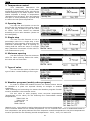
and the same controller without PID control:
Any comments concerning the program should be reported to the boiler's manufacturer.
Each controller should be set individually for personal needs, depending on the type of fuel used for
burning as well as the type of the boiler. The TECH company shall not be liable for any incorrect settings
of the controller.
a) Basic terms
Firing – The cycle starts after the flue gas temperature has reached the defined value provided that it
does not drop below that level for a period of 30 seconds (factory-set firing time).
Operation – After completion of firing cycle the controller enters the operation cycle and a message
reading “PID:OPERATION” appears on the display. It is the basic operation status of the controller where
the blowing operation and fuel feeding are performed automatically following the PID algorithm and the
temperature is fluctuating around the temperature preset by the user. Should the temperature rise
unexpectedly 5°C above the pre-set value a so-called supervision mode is activated.
Supervision mode– It is activated automatically if the temperature exceeds the pre-set value by more
than 5°C in the operation mode. In such a case the controller changes PID operation to manual settings
(according to parameters stored in the installation menu >> Supervision mode) to reduce the circulation
water temperature and a message “PID:SUPERVISION” appears in the display.
Damping – If the flue gas temperature drops below the predefined value and does not rise above that
level for a period of 300 seconds (factory-set damping time) the controller enters the damping mode.
When in that mode both blower and feeder are stopped and the display reads “PID:DAMPED””.
III. Functions of the regulator
This chapter describes the functions of the regulator, the method of changing the settings as well
as navigation in the menu which is made using the pulse generator (knob). The boiler's operational
parameters are displayed on the main screen of the controller. The user selects the operation mode and
a number of settings of the boiler according to their own needs.
b) Homepage
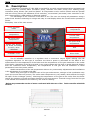
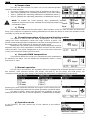
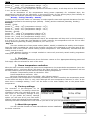
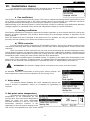
During normal operation of the regulator, the main page is visible on the graphic display.
Depending on the operation mode, one of the following screens is displayed.
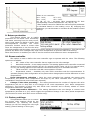
Pressing the knob of the pulse generator brings the user to the first level menu. The first three
menu options are shown on the display. Turn the knob to move to subsequent options. Press the knob
to select a given function. Similar actions are made when changing parameters. To introduce changes it
is necessary to approve them by pressing the pulse generator when the APPROVE message is shown. If
the user does not want to make any changes in a given function, they should press the pulse generator
when the CANCEL message is shown. To exit the menu select the exit option.
If necessary, you can use the standby mode button located on the controller housing to rapidly
turn off all actuators. This is an additional safeguard feature for use in an emergency situation that allows
you to power down all controller actuators (fan, pump, valve).
NOTE: Power is not disconnected from the controller when it is in standby mode.
5