1
Using SPOT HUG
SPO T H U G U SER MANUAL
21
Check-in/OK (FOB/Keypad)
Let your contacts know where you are and how you’re doing; or mark a
single waypoint to review later. Your contacts will receive SMS/text or
email messages with your GPS coordinates. Email messages also include
a link to view your location using Google MapsTM.
Message Cycle for Check-in/OK
The Tracker will send your message and GPS location to the SPOT HUG
network three times over 20 minutes for maximum reliability (only one
email or SMS/text message will actually be sent to your contacts).
If HUG cannot get a GPS signal, it will not send your Check-in/OK.
Using the Check-in/OK Function
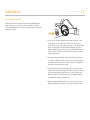
Press and hold the Check-in/OK on the Key FOB or Keypad until the button
blinks green. The GPS LED on the FOB or Keypad will blink green when
HUG sees the GPS satellites and continue while obtaining your
GPS location.
Once your GPS location is obtained, HUG sends your message and GPS
location. The GPS LED and Message Sending LED, Keypad only, will both
blink green for approximately 15 seconds. The Message Sending LED on
the Keypad continues to blink green after it transmits the most recent
message and for one (1) hour after the end of the message cycle. Let HUG
work until the end of the message cycle when the Check-in/OK Message
LED stops blinking.
If no GPS signal is found, the GPS LED will blink red. Move the vessel to
an area with a clearer view of the sky. HUG will keep looking for your GPS
location for up to 15 minutes.
If no GPS location is found in 15 minutes, HUG does not send your
message. To try again, simply press and hold the function button. The
Message Sending LED on the Keypad will blink red for one (1) hour after
completion of the message cycle to notify you that your message was not
transmitted.
The Message Sending LED on the Keypad continues to blink for one (1)
hour after the end of the message cycle to give you additional time to
verify the status of your Check-in/OK. In a hurry? You can dismiss the LED
by activating any other function.
To Cancel
All Check-in/OK messages are sent providing a GPS location is found.
How Hug Prioritizes Check-in/OK
Check-in/OK are the lowest priority HUG messages – if you press the
Help, Track Progress, or SOS buttons while in Check-in/OK Message
mode, HUG will cancel any unsent Check-in/OK Message and begin
sending Help/SPOT Assist, Track Progress or SOS messages.
Quick Check
You can send a Check-in/OK while you’re in Tracking. If Tracking is active,
it will be suspended long enough to send the Check-in/OK, then resume
once the Check-in/OK cycle is complete. This lets you easily update your
contacts of your whereabouts while in Tracking. For example, if you’d
like to send an “okay” message at the start of a trip to let your friends
know to follow your whereabouts on SPOT Adventures or findmeSPOT.com,
simply start Track Progress, and then press “Check-in/OK”. HUG will
send a Check-in/OK message then continue tracking.