1
1-3
Charging Your Tablet PC .......................................................................................................
...............................................................................................................3-2
u/
Connecting the AC Power .........................................................................................................3-2
.......................................................................................................
.e
...........................................................................................................................3-4
Basic Operations ..............................................................................................................
ls
Powering On Your Tablet PC .....................................................................................................3-4
....................................................................................................
ua
Android First Startup Process....................................................................................................3-5
Powering Off Your Tablet PC ................................................................................................... 3-11
an
.................................................................................................... 3-12
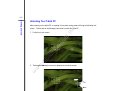
Unlocking Your Tablet PC .......................................................................................................
em
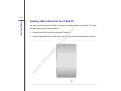
Inserting a Micro-SD Card or SIM Card to Your Tablet PC .................................................... 3-14
Home Screen.......................................................................................................................... 3-15
ic
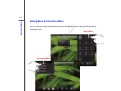
Setting Menu & Information Menu .......................................................................................... 3-18
ev
How to Manage Apps .............................................................................................................
............................................................................................................ 3-19
......................................................................................................................
Settings ........................................................................................................................................
3-22
.d
Wireless & Network Settings .................................................................................................. 3-22
w
Device Settings....................................................................................................................... 3-24
w
Personal Settings ................................................................................................................... 3-29
System .................................................................................................................................... 3-36
w
Preface
Getting Started
Camera .........................................................................................................................................
3-37
........................................................................................................................
Using the Camera/ Camcorder............................................................................................... 3-37
Camera/ Camcorder Basic Function ...................................................................................... 3-38
How to View the Photos/ Videos ............................................................................................ 3-39
Gallery .................................................................................................................................... 3-41