1
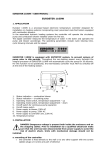
EUROSTER 11W USER MANUAL 3 8. Menu option number (displayed while set point values are browsed/set) 9. Boiler temperature / other displayed parameter value Animated icon that visually presents state of the boiler furnace. • Firing up – the boiler has not yet reached its preset temperature: -> • -> -> Normal operation – boiler temperature within hysteresis corridor around the preset: <-> • Blowdown – boiler temperature has exceeded the preset by more than half of the hysteresis: <-> • Overheating – boiler temperature >90ºC: <-> • 6 Furnace put out – the preset has not been attained in spite of 1 hour of firing the boiler up or boiler furnace temperature has dropped below the put-out temperature (set point Błąd: Nie znaleziono źródła odwołania): TURNING THE CONTROLLER ON Turn the controller mains switch (5 in section 3) into the “I” position. Device firmware version No. and compilation date are sequentially displayed for 2 s. “AS” letters are blinking on the display while the ANTY STOP function turns on the pump. State of the system is shown on the display. 7 If the controller is being turned on for the first time: set the desired controller presets (see section 8 below). FACTORY (DEFAULT) PRESETS Proceed as follows to restore factory presets: Press the knob and while holding it depressed turn the controller off and on. ”Fd” (factory defaults) is displayed.