1
Integrity Instruments
232M300-CNT User Manual
Quick Start Instructions
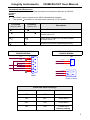
You need the following:
• EZTerminal program available free on our website http://www.integrityusa.com
•
•
•
An open COMPORT on your PC
Power supply PS9J (9VDC 400 ma unregulated)
A cable to connect your PC (C9F9M-6 6 foot serial cable)
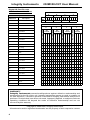
Make these DIP switch settings for 115,200 baud
SW1:
ON
SW2:
ON (These are factory default settings, see page 7)
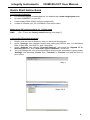
Launch the EZTerminal program
1.
2.
3.
4.
Double click the icon in whatever area you have put the program.
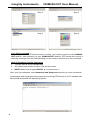
Under “Settings” then choose Comport and select your RS-232 port, 115,200 Baud
Rate, 8 Data Bits, NO PARITY, and 1 Stop Bits.
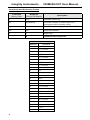
Under “Settings” now choose “Terminal Settings”, and check the “Append LF to
incoming CR” box, and “Local echo typed characters” check box.
You may change the color of the transmitted and received characters by going under
“Settings” and selecting “Colors” then “Transmit” or “Receive” and pick the color of
your choice.
Step 1
Steps 2 & 3
3